You're 80,000 words deep into your novel. Your antagonist's dialogue just stopped making sense. Your beta readers are still on chapter four. Your editor costs $75 an hour. And every generic AI chatbot you throw the problem at has no idea who your characters even are.
That's exactly the gap Sudowrite Chat was built to close.
The Short Answer on Sudowrite Chat
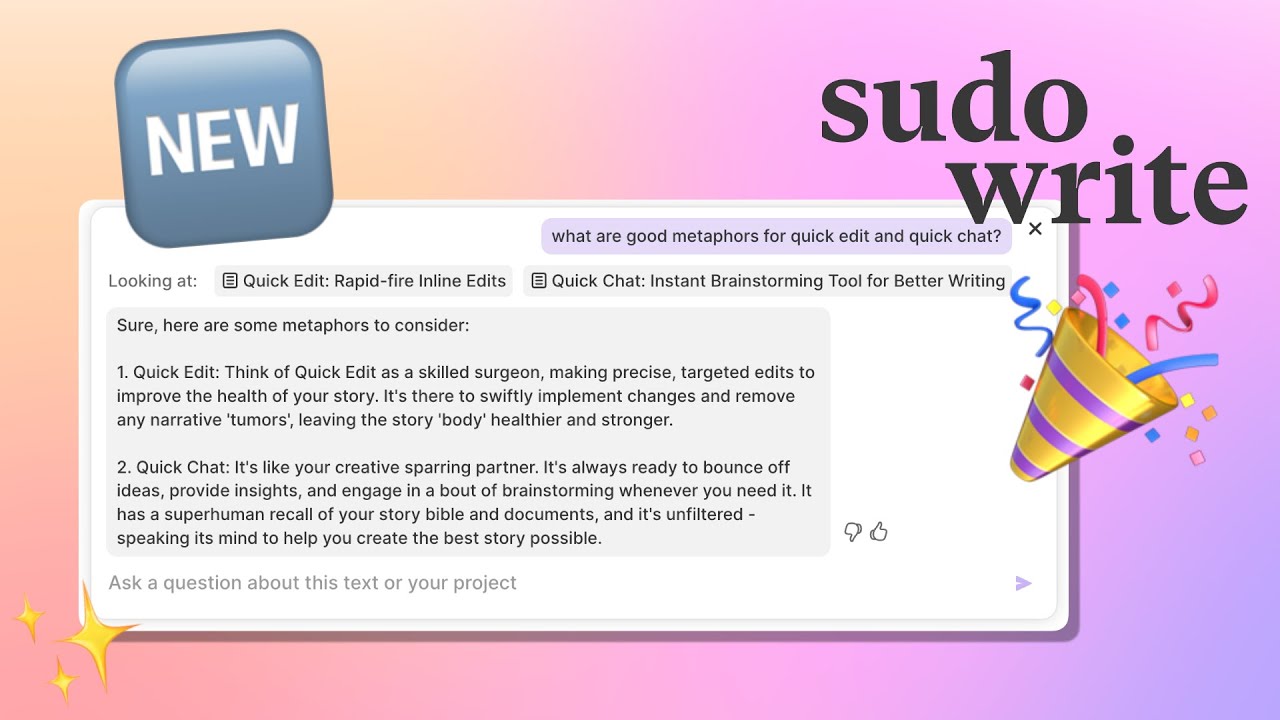
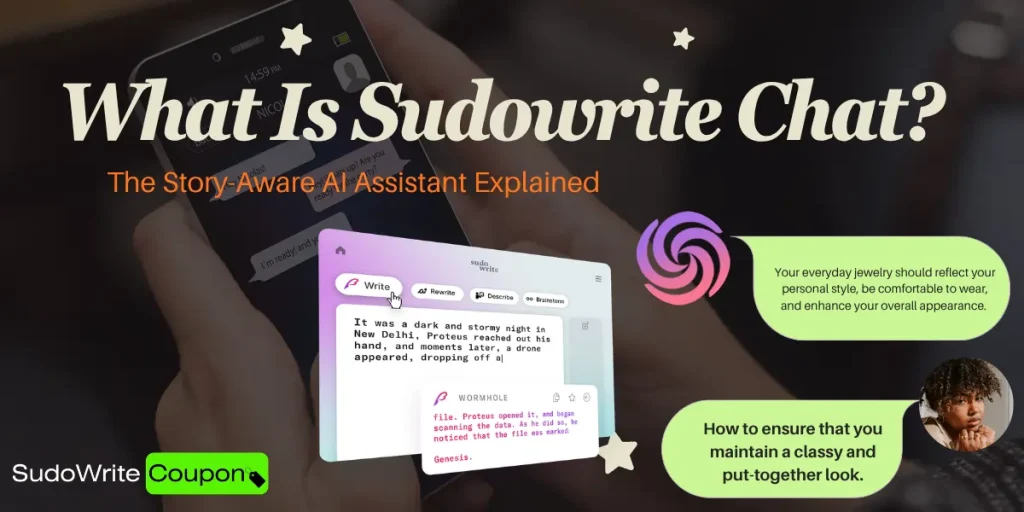
Sudowrite Chat is a built-in, story-aware AI assistant inside the Sudowrite writing platform. It lives in the right sidebar of your editor — and unlike every other AI chatbot out there, it doesn't need you to explain your story. It already read it.
This isn't just a writing chatbot bolted onto a platform. It's a persistent, manuscript-aware creative collaborator that knows your characters, your world, your outline, and your prose — all at once, all the time.
Why “Story-Aware” Is the Real Differentiator
Most AI writing tools operate like a stranger you hand a random page to. They work with what you paste in. They forget everything between sessions. They hallucinate character names. They give feedback that could apply to any book, not yours.
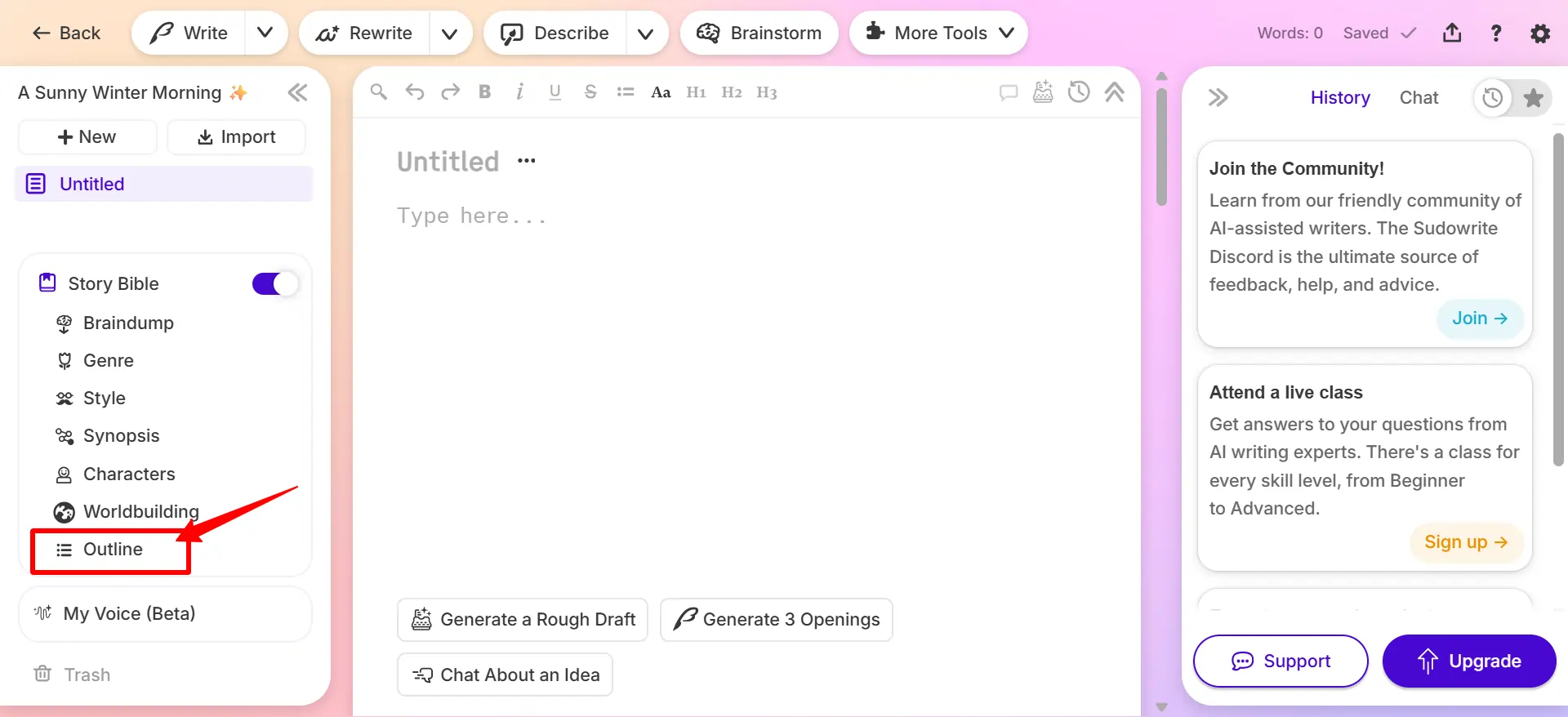
Sudowrite Chat operates differently. It pulls from your Story Bible — a structured document inside Sudowrite where you store your genre, synopsis, character cards, worldbuilding notes, and outline. Every time you open Chat, it automatically loads all of that context.
Here's exactly what Sudowrite Chat can see:
Ask it about a character's motivation, and it references the character card you built. Ask about a plot hole, and it cross-references your outline. No copy-pasting required.
How Sudowrite Chat Actually Works (Step by Step)
1. Open your project in Sudowrite
Chat lives in the right sidebar. Toggle from “History” to “Chat” and it's ready. No setup, no briefing.
2. Build your Story Bible first
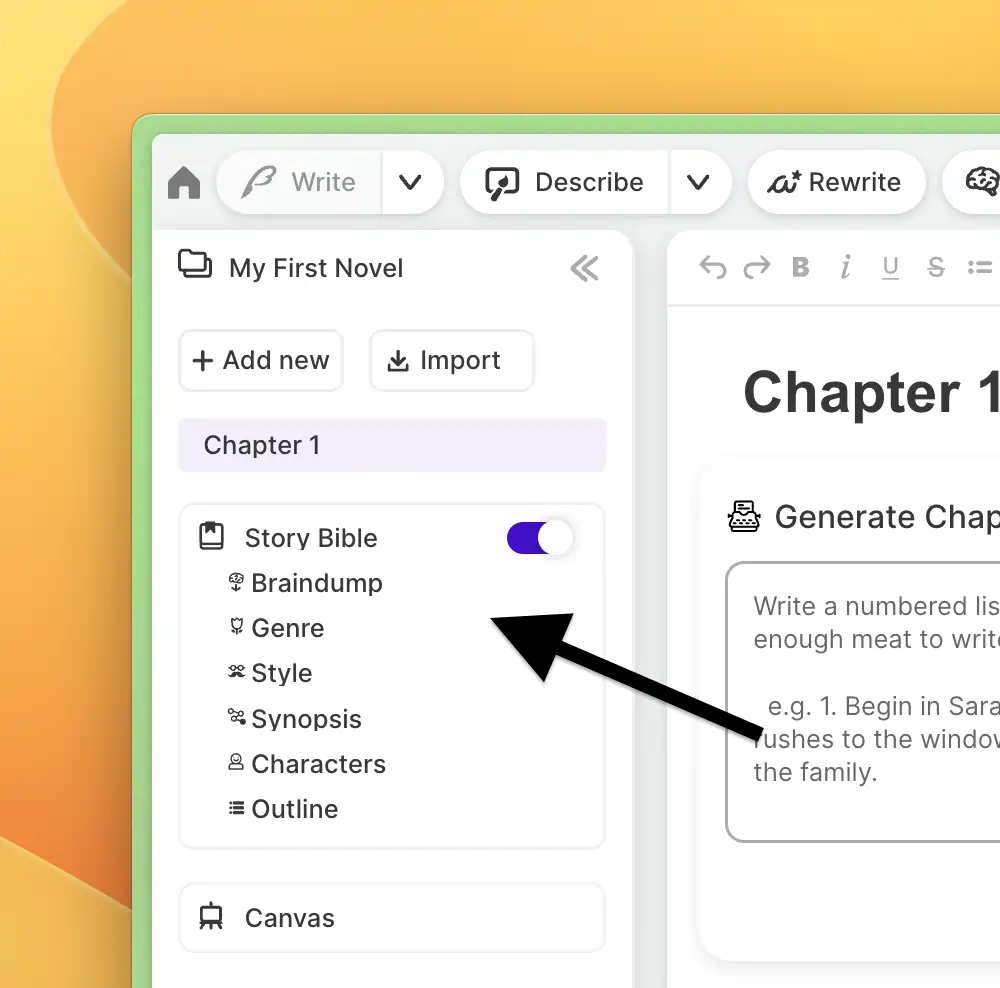
The more detailed your character cards and worldbuilding notes, the sharper the feedback you'll get. Even a basic Story Bible turns Chat from a generic assistant into a story-specific coach.
3. Write your scene or chapter
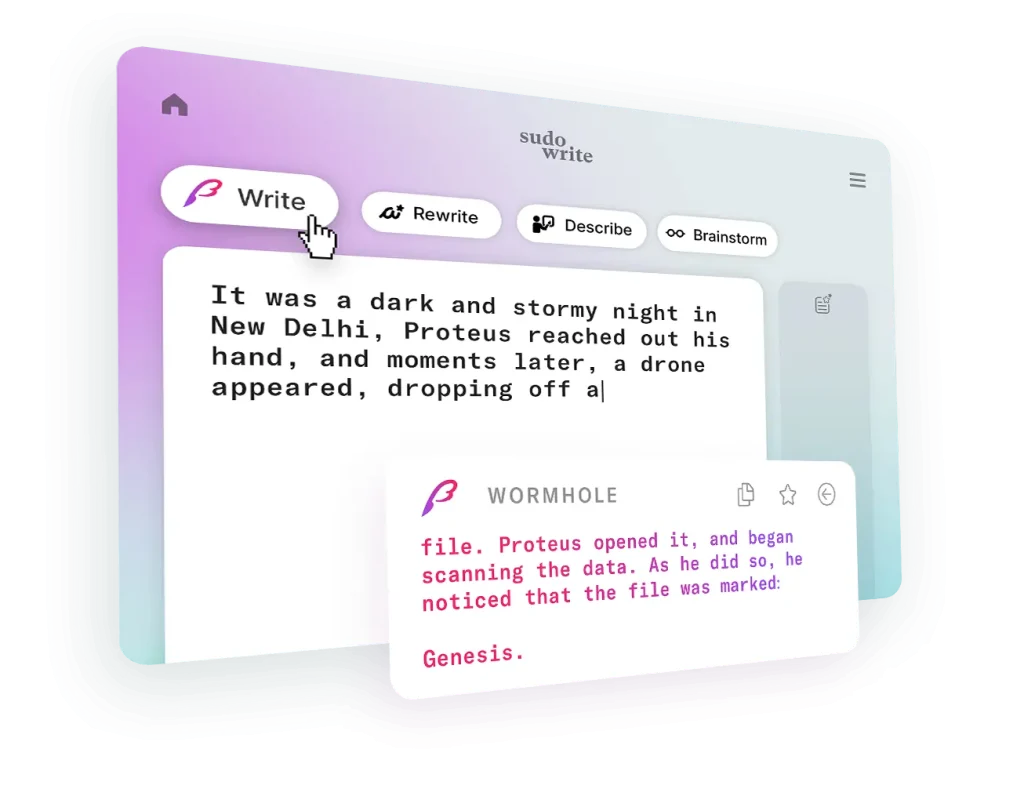
Chat reads the full text of whatever document you're working in. The more you've written, the more context it has to work with.
4. Ask specific questions
Highlight a passage if you want focused feedback on that section. Type your question — about pacing, dialogue, plot consistency, character arc, tension — and Chat responds using your actual story data.
5. Use @ mentions to direct attention
Tag a specific character or worldbuilding element using the @ symbol. You can even reference another document in the same project — useful for comparing chapter drafts or spotting continuity errors across scenes.
Sudowrite Chat vs. Every Other Option Writers Have
| Feedback Source | Knows Your Story | Speed | Cost |
|---|---|---|---|
| ChatGPT / Claude | No — starts fresh every session | Instant | Free–$20/mo |
| Beta Readers | Partially, after weeks of reading | Weeks to months | Free / reciprocal |
| Professional Editor | After briefing | Days to weeks | $500–$2,000+ per project |
| Paid AI Coaching | Requires re-briefing each time | Hours | $50–$200/mo |
| Sudowrite Chat | Yes — reads Story Bible + docs automatically | Instant | Free with all plans |
The gap is obvious. Fast AI tools don't know your story. Informed humans are expensive and slow. Sudowrite Chat is both fast and fully informed.
What Can You Actually Use It For?
This isn't just a Q&A tool. Fiction writers use Sudowrite Chat for a wide range of tasks across the entire writing process:
Plot & Structure
Character Work
Scene-Level Feedback
Revision & Consistency
The “High Quality Mode” — When Standard Isn't Enough
By default, Sudowrite Chat is free and included with every subscription plan. The standard mode handles most fiction writing tasks — brainstorming, feedback, continuity checks, dialogue notes — without costing a single credit.
For more complex, logic-heavy tasks, there's High Quality mode. This uses a more advanced AI model capable of handling intricate plotting, multi-character continuity across large manuscripts, and detailed craft-level analysis. High Quality mode does consume credits, but you can toggle it off at any time to return to the free standard Chat.
The practical split:
Conversation History and Project Organization
Unlike Quick Chat (the pop-up inline version), the full Sudowrite Chat panel saves your conversation history. You can access past chat threads by clicking the folder icon in the upper right corner of the Chat panel.
A few things worth knowing about how Chat is organized:
What Sudowrite Chat Is NOT
It helps to be clear about what this tool isn't, so you know exactly where it fits in your workflow.
Sudowrite Chat and the Story Bible: The Connection That Makes It Work

The Story Bible is where Chat's intelligence actually comes from. A bare-bones Story Bible gives you bare-bones feedback. A rich, detailed Story Bible gives you feedback that sounds like it came from someone who read every draft.
Here's what a high-performing Story Bible includes for maximum Chat effectiveness:
The more you put in, the more Chat has to work with. It's a direct trade.
|
Story Bible Advantage
Want better Sudowrite Chat answers?
Build your Story Bible first. The richer your characters, outline, worldbuilding, and genre notes, the more useful Chat becomes inside your manuscript.
|
🎁 Get 200,000 Free Credits → |
FAQ Related to Sudowrite Chat
Is Sudowrite Chat free?
Yes. Chat is included with all Sudowrite subscription plans — Hobby, Professional, and Max — at no additional cost. High Quality mode uses credits, but standard Chat is always free.
Does Sudowrite Chat read my entire manuscript?
It reads your full Story Bible and the full text of your currently open document. It doesn't automatically read every document in your project unless you use @ mentions to reference them.
Can I use Sudowrite Chat for series writing?
Yes. With Sudowrite's Series Folder, your Story Bible data carries across books in the same series, so Chat maintains character and worldbuilding context across installments.
What's the difference between Sudowrite Chat and Quick Chat?
Quick Chat is an inline pop-up (accessed via Ctrl/Cmd + K) for fast, in-the-moment questions tied to your cursor position. Full Chat is the sidebar panel that saves conversation history and supports @ mentions.
Will Chat write my scenes for me?
Not directly — that's what Sudowrite's Write, First Draft, and Draft tools are for. Chat is for feedback, brainstorming, continuity checking, and dialogue notes. Think coach, not ghostwriter.
Does Sudowrite Chat work without a Story Bible?
It works, but the feedback quality drops significantly. Without character cards and worldbuilding details, Chat gives generic writing advice rather than story-specific guidance.
Is Sudowrite Chat Worth Using?
If you write fiction — novels, novellas, short stories, series — and you've ever wished you had a writing partner who had actually read your entire manuscript, Sudowrite Chat is worth your time.
It won't make your writing decisions for you. It won't rewrite your prose unless you ask. What it does is give you a sounding board that knows your story inside and out, available at any hour, included for free with your subscription.
The one real requirement: put in the work on your Story Bible. Without it, Chat defaults to general advice. With it, you get feedback that's grounded in your characters, your world, and your specific story problems.
That's a fundamentally different experience from pasting a chapter into ChatGPT and hoping for the best.

Sudo Coupons Recommends:
Affiliate Disclosure: This post may contain some affiliate links, which means we may receive a commission if you purchase something that we recommend at no additional cost for you (none whatsoever!)